OpenAI Dots
Dots by OpenAI are proactive assistants that can keep working across complex projects and everyday tasks. Learn how dots help you stay in control while work moves forward.
Qu’est-ce que OpenAI Dots ?
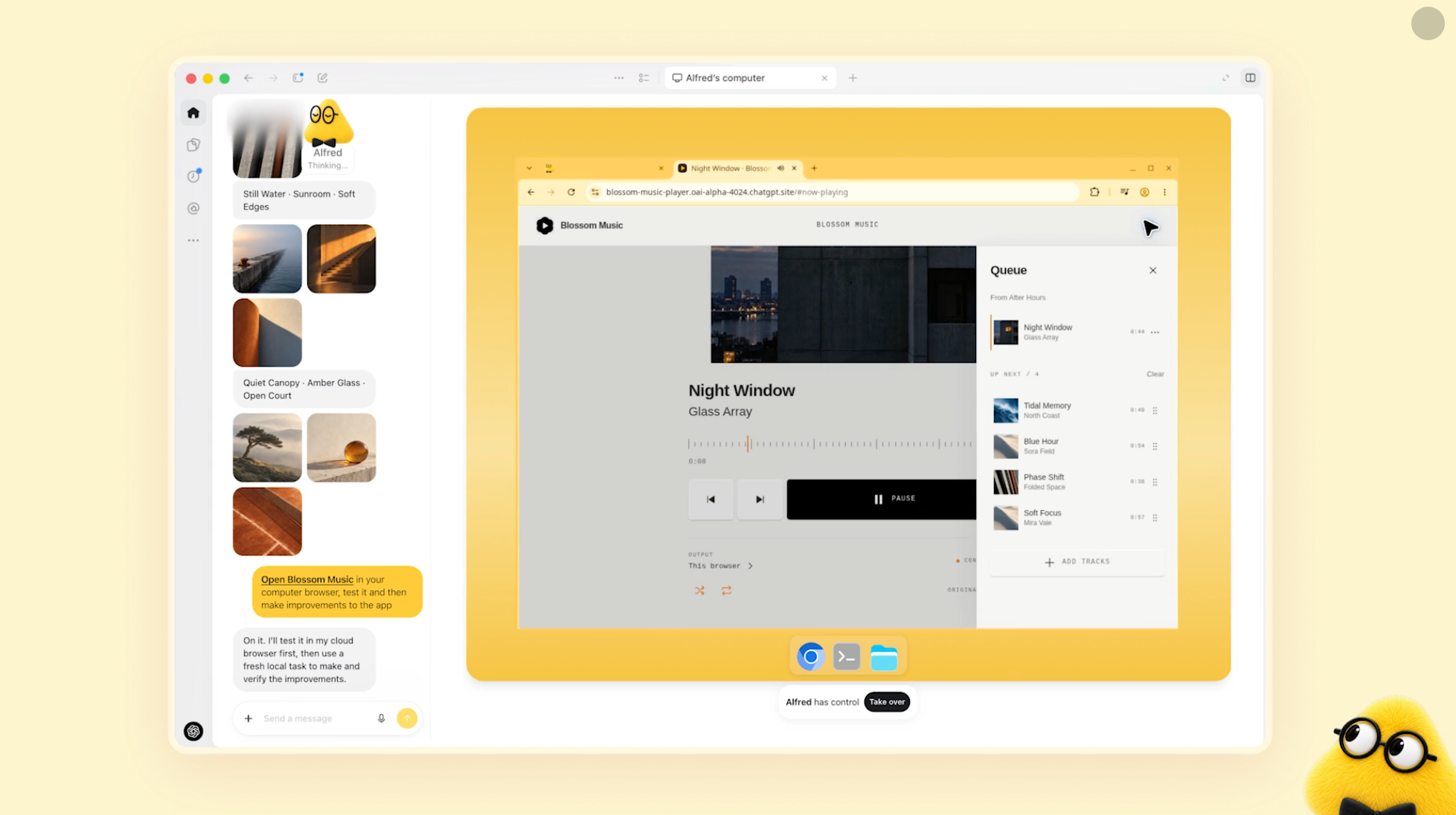
OpenAI Dots are always-on AI agents designed to handle ongoing work and complete tasks on a user's behalf. Rather than functioning only as a chatbot that responds to individual prompts, each dot can work toward longer-term goals, use connected tools, and continue working through multi-step tasks.
Powered by GPT-6 Astra, Dots operate with their own cloud computers and can learn from user feedback over time. Through OpenAI's plugin ecosystem, they can connect to thousands of applications, allowing them to work across the software and services people already use.
Dots are designed for people and teams that want to delegate recurring work, coordinate tasks across multiple applications, and interact with an AI agent through familiar communication channels.
Features:
-
Always-On AI Agent: Work toward user-defined goals continuously instead of responding only to one-off prompts.
-
Dedicated Cloud Computer: Each dot has access to its own cloud computing environment for carrying out digital tasks.
-
GPT-6 Astra Intelligence: Use OpenAI's GPT-6 Astra model to reason through tasks, make decisions, and complete multi-step workflows.
-
4,000+ App Connections: Connect to thousands of applications through OpenAI's plugin ecosystem to access tools and services needed for a task.
-
Learning From Feedback: Adapt over time based on user feedback, preferences, and examples of what good results look like.
-
Cross-Platform Access: Interact with a dot through ChatGPT, Slack, or Microsoft Teams.
-
Voice Conversations: Talk with a dot through voice when discussing ideas, giving instructions, or reviewing work.
-
Long-Term Goal Support: Assign ongoing goals and let the agent continue making progress rather than requiring a new prompt for every individual step.
Use Cases:
-
Workflow Automation: Delegate repetitive and multi-step digital tasks that involve several applications.
-
Research & Knowledge Work: Ask an agent to gather information, explore ideas, and continue working toward a broader research goal.
-
Team Productivity: Use Dots within workplace communication tools such as Slack and Microsoft Teams to support collaborative workflows.
-
Administrative Work: Offload recurring operational tasks and routine digital work to an always-available AI agent.
-
Long-Term Projects: Give an agent an objective and provide feedback over time as it continues working toward the desired result.
Outils similaires

Meta Muse
Muse is your personal AI agent that gets things done. Give Muse a goal or an everyday task and it handles the rest, from finances and health to shopping and the people you care about.

OpenAI Codex
Codex is OpenAI’s series of AI coding tools that help developers move faster by delegating tasks to powerful cloud and local coding agents.

Google Antigravity
A new kind of code editor where autonomous AI agents help you plan, write, and test software across your entire computer.
Noter OpenAI Dots
pour noter cet outil.
Présentez votre produit
Proposez votre outil pour gagner en visibilité auprès des développeurs ou découvrez d’autres solutions performantes.