
Canva Code
No reader reviews yet
Canva Code lets you create interactive websites, quizzes, calculators, and web experiences using natural language prompts and visual editing.
What is Canva Code?
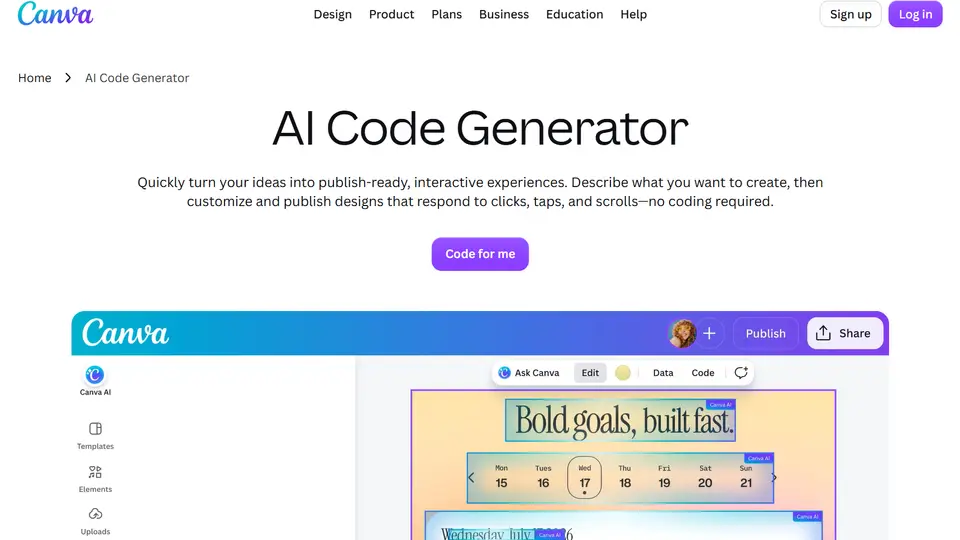
Canva Code is an AI-powered interactive design and website builder that lets users create functional web experiences through natural language prompts. Built into Canva's design platform, it allows users to generate interactive landing pages, calculators, quizzes, simple applications, and other web-based experiences without manually writing code.
Unlike traditional AI coding tools that focus primarily on software development, Canva Code combines AI-generated functionality with Canva's familiar visual editing environment. Users can start from a written prompt, an interactive template, or imported HTML, then customize colors, fonts, text, images, and other design elements directly in Canva.
With Canva Code 2.0, users can build interactive experiences, visually refine their appearance, and publish supported creations as live websites. It is particularly useful for designers, educators, marketers, and small businesses that want to create interactive content without learning programming.
Features:
-
AI-Powered Code Generation: Describe an interactive website, tool, or experience in natural language and let Canva Code generate the underlying functionality.
-
Visual Design Editing: Customize generated experiences using Canva's familiar design editor, including direct adjustments to text, colors, fonts, and visual elements.
-
Prompt-Based Iteration: Refine existing creations through follow-up instructions instead of rebuilding the entire project manually.
-
Interactive Website Creation: Generate landing pages, interactive web pages, and other supported website experiences through natural language prompts.
-
Interactive Templates: Start from ready-made Canva Code templates for common interactive design scenarios.
-
HTML Import: Bring compatible HTML content created in other tools into Canva for further visual customization.
-
Canva Design Integration: Add Canva Code creations to presentations, documents, whiteboards, and other supported Canva designs.
-
Brand Customization: Use Canva's design assets, uploaded images, and branding resources to personalize interactive experiences.
-
Website Publishing: Publish supported Canva Code creations as live websites with shareable URLs, then update them by republishing changes.
-
Version History: Access previously generated versions and return to earlier iterations within the Canva Code conversation.
-
Code Viewing & Copying: View and copy the underlying generated code for potential reuse or adaptation in external projects.
Use Cases:
-
Interactive Landing Pages: Build product pages, promotional experiences, and campaign websites with interactive elements.
-
Online Calculators: Create simple calculators for pricing estimates, budgets, conversions, and other practical tasks.
-
Educational Quizzes: Generate interactive quizzes, classroom exercises, and learning activities without manual programming.
-
Marketing Campaigns: Add interactive experiences to promotional pages, presentations, and branded content.
-
Business Websites: Create simple websites and interactive pages for services, events, and small businesses.
-
Interactive Presentations: Incorporate functional tools, quizzes, and other interactive elements into Canva presentations.
-
Rapid Prototyping: Experiment with web-based ideas and demonstrate interactive concepts before investing in custom software development.
-
Classroom Resources: Build interactive educational content, classroom information pages, and student engagement activities.
Who Is Canva Code Best For?
Canva Code is especially suitable for designers, educators, marketers, and non-technical creators who want to add interactive functionality to visually polished content.
Its main advantage is the combination of AI-generated code and Canva's visual design tools. Users can generate an interactive experience and adjust its appearance without switching between a coding environment and a separate design application.
For users already creating presentations, marketing assets, or websites in Canva, Canva Code provides a convenient way to add interactive elements to existing workflows.
Things to Know:
- Canva Code is primarily designed for interactive experiences and visually editable web content. It is not a direct replacement for a full professional software development environment.
- Canva Code is available across Canva's account types, but AI usage limits and premium entitlements vary by plan.
- Generated code can be viewed and copied, but Canva does not currently support exporting it directly as a code file or editing the underlying source code inside Canva.
- Large or complex interactive components may cause website publishing issues and require simplification.
- AI-generated code and interactive functionality should be tested before publishing, especially when collecting information or performing calculations.
Related Tools

Tempo
Collaborate seamlessly with advanced solutions for faster, smarter web development.

Create.xyz
Create.xyz now presents its AI app builder as Anything, for making mobile apps, sites and tools from natural-language instructions.

Bloome
Bloome is the IM platform built for multi-agent collaboration. Add AI agents to your group chats, assign roles, and actually ship results — together.
Rate Canva Code
to rate this tool.
Expose Your Product!
Submit your tool to gain exposure from developers. You can also explore more powerful tools here.