
OpenClaw
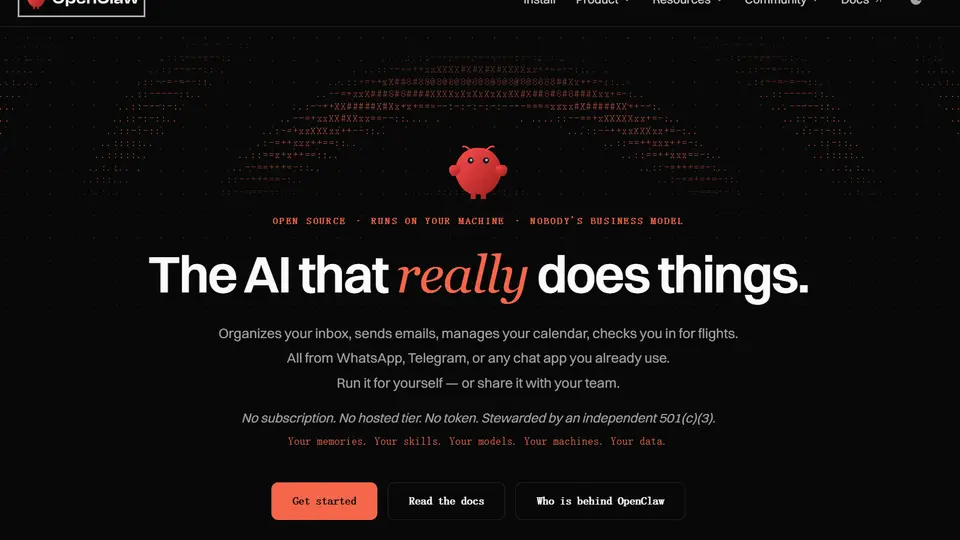
OpenClaw is the open-source AI assistant that runs on your machine and works from WhatsApp, Telegram, or any chat app: inbox, email, calendar, flights.
What is OpenClaw?
OpenClaw is an open-source, self-hosted AI agent that lets users automate digital tasks through messaging apps such as WhatsApp, Telegram, Discord, and Slack. Unlike conventional AI chatbots that mainly generate text responses, OpenClaw can use tools to browse websites, manage files, execute commands, and carry out actions on behalf of its users.
At the center of OpenClaw is the Gateway, a locally controlled service that connects AI models, messaging channels, tools, and persistent agent sessions. Users can run it on their own computer or server, choose from supported cloud and local AI models, and extend its capabilities with skills and plugins. Scheduled jobs and multi-agent configurations make it possible to build assistants for recurring personal or professional workflows.
OpenClaw is particularly appealing to developers, independent creators, and technically confident users who want a customizable AI assistant without depending entirely on a hosted agent platform.
Features:
-
Self-Hosted AI Agent: Run the OpenClaw Gateway on your own computer or server, giving you control over your agent's workspace, configuration, and deployment.
-
Messaging App Integration: Communicate with your AI assistant through supported channels including WhatsApp, Telegram, Discord, Slack, Signal, and iMessage.
-
Multi-Model Support: Connect to AI providers such as Anthropic and OpenAI, or configure compatible locally hosted language models.
-
Browser Automation: Give the agent access to a browser so it can navigate websites, collect information, and interact with web interfaces.
-
File & Command Execution: Allow the agent to read and modify files, run commands, and perform system-level tasks according to configured tool permissions.
-
Persistent Memory & Sessions: Maintain relevant context across interactions and organize separate sessions for different users, projects, or tasks.
-
Skills & Plugins: Extend OpenClaw with reusable instructions, custom integrations, and additional capabilities through its plugin and skills ecosystem.
-
Scheduled Automations: Run recurring jobs, reminders, and background checks through the Gateway's scheduling and automation features.
-
Multi-Agent Configuration: Create separate agents with different workspaces, models, tools, and responsibilities.
Use Cases:
-
Personal AI Assistant: Manage reminders, organize information, prepare daily briefings, and coordinate everyday digital tasks.
-
Messaging-Based Automation: Send instructions from your phone and have an agent execute tasks on a computer or server.
-
Web Research & Data Collection: Browse websites, collect publicly available information, summarize findings, and prepare research reports.
-
Development Workflow Assistance: Manage project files, execute commands, and coordinate coding-related tasks using an AI assistant with system tools.
-
Email & Productivity Automation: Build workflows for inbox summaries, follow-up reminders, calendar information, and recurring administrative tasks using appropriate integrations.
-
Custom Agent Development: Configure specialized assistants for different projects or responsibilities using models, skills, and isolated workspaces.
Who Is OpenClaw Best For?
OpenClaw is best suited to developers, technical enthusiasts, and users who want substantial control over their personal AI agent. It is especially useful when existing messaging platforms should act as the interface to an assistant running on a separate machine.
Users interested in local AI models, self-hosted automation, and customizable agent workflows may find OpenClaw more flexible than a conventional cloud-based chatbot.
Things to Know:
- OpenClaw requires installation, configuration, and ongoing management of its Gateway and connected services.
- Scheduled tasks depend on the Gateway being available when they need to run.
- Access to third-party AI models and external services may involve separate usage charges.
- Browser access, file operations, and command execution introduce security risks. Users should carefully configure permissions, credentials, and tool access before allowing autonomous actions.
Related Tools

OpenAI Codex
Codex is OpenAI’s series of AI coding tools that help developers move faster by delegating tasks to powerful cloud and local coding agents.

Google Antigravity
A new kind of code editor where autonomous AI agents help you plan, write, and test software across your entire computer.

Meta Muse
Muse is your personal AI agent that gets things done. Give Muse a goal or an everyday task and it handles the rest, from finances and health to shopping and the people you care about.
Rate OpenClaw
to rate this tool.
Expose Your Product!
Submit your tool to gain exposure from developers. You can also explore more powerful tools here.